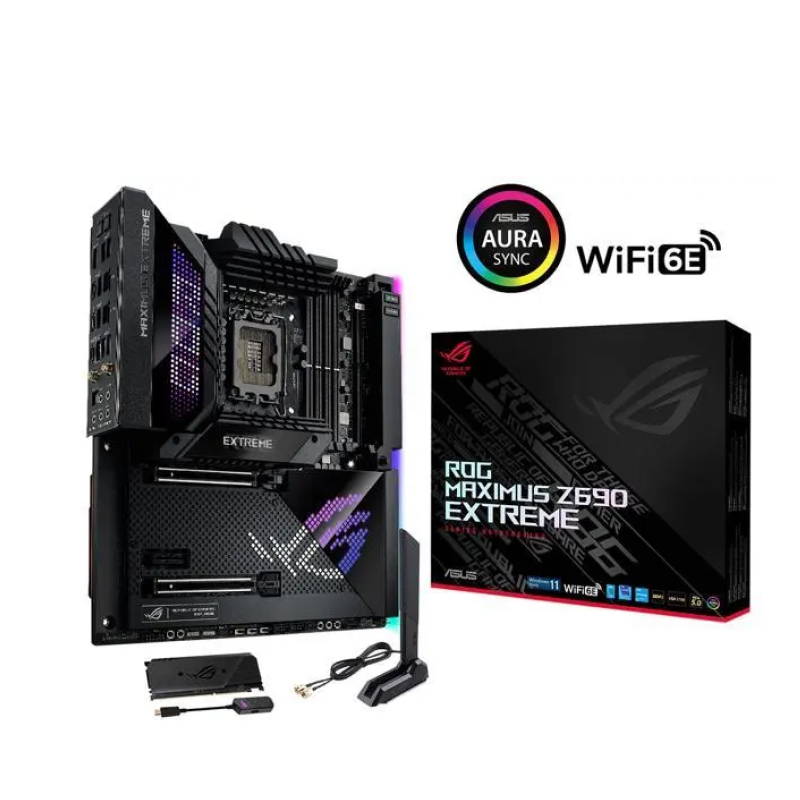
Description ROG Maximus Z690 Extreme represents the ultimate in enthusiast motherboard design for those who want the best possible option that excels at both air and liquid cooling for 12th Gen Intel® Core™ CPUs. And this platform is packed with the most features that you will find on a ROG Z690 motherboard, including heavy-duty 24 1 power stages, ASUS Enhanced Memory Profiles for top-notch DDR5 speeds, multiple PCIe 5.0 slots, and the exclusive AniMe Matrix™ LED Display. INTELLIGENT MOTHERBOARD Intelligent software solutions help ensure that your system performs at its best. The latest ASUS AI-powered enhancements span four pillars of performance, including overclocking, cooling, networking, and onboard audio, making advanced tweaks and optimization accessible to new recruits and savvy PC DIY veterans alike. AI Overclocking Tuning is now faster and smarter than ever before. ASUS AI Overclocking profiles the CPU and cooling to predict the optimal configuration and push each system to its limits. AI Cooling Balance the thermals and acoustics of any build with a single click. A proprietary ASUS algorithm reduces unnecessary system noise by monitoring CPU temperatures and dynamically adjusting fans to optimal speeds. AI Networking GameFirst VI optimizes networking performance by allocating bandwidth in real time based on application usage scenarios and corresponding learning algorithms. Two-Way AI Noise Cancelation This utility leverages a massive deep-learning database to reduce over 500 million types of background noise from incoming or outgoing audio, helping ensure crystal-clear communication in games or calls. SPEC OVERVIEW PERFORMANCE ROG Maximus Z690 Extreme is the kind of motherboard that uses stock clock speeds merely as a reference point. With its piles of teamed power stages working alongside high-grade capacitors and chokes, you get performance that can take high-powered processors like a 12th Gen Intel Alder Lake CPU and leave all competition in the dust. TEAMED POWER ARCHITECTURE Modern CPU architectures up the ante for motherboard power design by transitioning from deep power saving modes to full load almost instantaneously. The latest ROG VRM architecture rises to the challenge by utilizing teamed power stages to rapidly swing current, while maintaining exemplary thermal. A brief history ASUS became the first manufacturer to implement phase doublers when we shipped the A8N32-SLI Deluxe back in 2005. The board’s VRM was lauded for elegantly overcoming the power handling capabilities of components that were available at the time while also reducing voltage ripple. Those benefits lead to phase doublers becoming universally accepted in the industry, and they are still used for similar purposes today. A shift in CPU demands Today’s CPUs pack more cores than their predecessors, and the latest instruction sets allow them to crunch computationally dense workloads at an incredible pace. As an added bonus, these processors also consume less power at idle and can transition between loads states much more quickly. These improvements necessitated a re-evaluation of power design priorities, because phase doublers add a propagation delay that hampers transient response. Bucking the trend The latest integrated power components can handle higher currents than the devices of yesteryear, making it possible to implement a simple circuit topology that isn’t hamstrung by the processing lag of phase doublers. That’s why the ROG Maximus Z690 Extreme utilizes teamed power stages to deliver higher burst current per phase, while maintaining the thermal performance of phase-doubled designs. Thermal performance Each VRM component serves a specific purpose. PWM controllers control the circuit, and the power stages do the heavy lifting from an electrical and thermal standpoint. That’s why ROG Maximus Z690 Extreme utilizes 20 power stages. The high-end power stages feature a low RDSON to reduce switching and conduction losses, helping to improve overall thermal headroom. ROG TRUE VOLTICIAN For truly advanced performance optimization, ROG Maximus Z690 Extreme includes ROG True Voltician, a miniature oscilloscope connected to a USB header displays waveforms for a CPU’s Vcore, VCCIN, and System Agent rails. It can also be used to monitor a video card or power supply, and users can even run the True Voltician software on one PC while they get readings from another. DDR5 OVERCLOCKING STRENGTH Comprehensive memory tuning options are the cornerstone of ROG motherboards. For DDR5, the Maximus Z690 lineup breaks performance limits by providing a stacked suite of overclocking parameters for not only high-speed kits, but even entry-level memory modules that have a locked power management IC (PMIC). A dedicated circuit on the motherboard safely circumvents DDR5 memory PMIC restrictions, allowing you to step past the default 1.1-volt limit and push frequency and timings to the max. Ordinarily, a restricted PMIC that has been unlocked requires the system to be fully power-cycled each time memory voltage is adjusted. ROG motherboards leverage onboard hardware and firmware to cleverly work around this irksome limitation, enabling voltage adjustments to be applied through the same soft system-reset process employed for previous generations of DDR memory. COOLING ROG Maximus Z690 Extreme features unparalleled flexibility for either air or liquid cooling, thanks to a diverse array of heavyweight heat dissipation that keeps power delivery, M.2 drives and onboard components running cool under load, regardless of the available airflow. Heatsinks VRM heatsink A VRM heatsink is placed on the MOSFETs and chokes, and the embedded heatpipe connects to the aluminum I/O cover. Aluminum, I/O cover An aluminum I/O cover is connected to the primary heatsink via an embedded heatpipe, increasing mass and surface area for dissipation. Cold-forged heatsink The heatsink cover is crafted from pure aluminum to efficiently cool the two onboard M.2 drives Solid steel backplate The steel, electro-galvanized, cold-rolled coil construction strengthens Maximus Z690 Extreme to prevent bending, and is finished in motherboard-matching black. High-Conductivity Thermal Pad A high-quality thermal pad improves overall heat transfer from the system by bridging the heat generated by the power stages to the heatsink. M.2 Backplates Dual M.2 slots feature back-plate blocks that ensure high-performance drives deliver peak performance even when airflow is restricted. Chipset Heatsink A dedicated chipset heatsink draws heat away to maintain optimum operating temperatures. Cooler by design ROG Maximus Z690 Extreme features comprehensive cooling options that are configurable via Fan Xpert 4 or the UEFI BIOS. Multiple temperature sources Each header can be set to monitor and react to three user-configurable thermal sensors for workload-based cooling, and all settings can be easily managed by Fan Xpert 4 or via the UEFI. 4-pin PWM/DC fan headers and ASUS HYDRANODE Every onboard header auto-detects any PWM or DC fan, with two chassis fan headers offering ASUS HYDRANODE support. Bundled ROG fan controller A bundled fan controller card includes six additional DC and PWM fan headers, plus two thermal-probe headers. ROG Water-Cooling Zone Dual water-temperature headers and a flow-rate header feed information straight into the AI Suite utility, allowing you to track coolant temperatures and the flow rate of the entire loop. Water pump A dedicated header can supply over 3 amps to a high-performance PWM or DC water pumps. Water in/out A dedicated header enables monitoring of temperatures at the input/output points of any component. Water flow A dedicated header enables constant monitoring of flow rate throughout the entire loop. ROG Fan Controller The ROG Fan Controller offers an additional six headers that can be controlled via FanXpert 4. The card features two temperature-sensor headers, along with two thermistors that can be attached to various components. There are also six ARGB headers to illuminate ARGB fans. CONNECTIVITY ROG Maximus Z690 Extreme features the latest and greatest in connectivity, including the fastest GPU and storage device transfer speeds with PCIe® 5.0, the smoothest online gameplay with WiFi 6E and 10 Gb Ethernet, a host of rapid-fire file transfers with Thunderbolt™ 4. NETWORKING WiFi 6E Onboard WiFi 6E technology takes advantage of the newly available radio spectrum in the 6 GHz band, providing up to three times the bandwidth of the 5 GHz band and up to seven 160 MHz bands to deliver ultrafast wireless networking speeds along with improved capacity and better performance in dense wireless environments. Marvell® AQtion 10 Gbps Ethernet Designed to meet the demanding requirements of power users and content creators, 10 Gbps onboard Ethernet provides a new level of home networking. With up to 10 times the bandwidth of standard gigabit Ethernet, you’ll enjoy streaming uncompressed 4K UHD videos and system backups and file transfers that are faster than ever before. Intel® 2.5 Gb Ethernet Onboard 2.5 Gb Ethernet gives your wired connection a boost, with up to a 2.5X improvement over standard Ethernet connections for faster file transfers, smoother lag-free gaming and high-res video streaming. *WiFi 6E availability and features are dependent on regulatory limitations and co-existence with 5 GHz WiFi. To learn more about the ASUS WiFi 6 ecosystem, please visit: asus.com/content/WiFi6/#WIFI-6E. USB PORT USB 3.2 GEN 2X2 TYPE-C® FRONT-PANEL CONNECTOR WITH QUICK CHARGE 4 Quick Charge 4 technology can rapidly charge devices at up to 60W with a PCIe power supply cable plugged into the nearby 6-pin connector. Two Thunderbolt 4 USB-C Ports Each port delivers up to 40 Gbps of bidirectional bandwidth for the latest high-speed devices and drives. Thunderbolt 4 also supports up to two external 4K displays and extends PCIe bandwidth to up to 32 Gbps. STORAGE Three Onboard M.2 Slots ROG Maximus Z690 Extreme is features three onboard M2 slots, with one offering support for the latest PCIe 5.0 SSDs. ROG DIMM.2 The ROG DIMM.2 module is an innovative expansion card that allows two M.2 drives to be connected via a DDR4 interface. You can then add a metal heatsink, helping to control thermals for maximum performance while elevating aesthetics. *DIMM.2 accommodates M.2 drives up to 22110 (110 mm) in length SUPREMEFX ROG SupremeFX audio technology delivers an exceptional 113 dB signal-to-noise ratio on the line-in connection to provide best-ever recording quality. There’s also a low-dropout regulator for clean power delivery to the SupremeFX ALC4082 codec, and an ESS® 9018Q2C integrated DAC. Audio line shielding Blocks electromagnetic interference from the motherboard or add-ons to provide cleaner audio. ESS ® SABRE 9018Q2C The ESS® SABRE 9018Q2C integrated DAC amplifier is capable of providing -115 dB total harmonic distortion (THD N) for playback that conveys all the subtlety and nuances of the audio track. In addition, the 121 dB dynamic range (DNR) provides an extremely low noise-floor, further accentuating dynamics and punch. ALC 4082 Codec The ALC4082 codec uses USB instead of the conventional high-definition audio (HDA) interface and improves playback audio resolution from 192 to 384 kHz. Switching MOSFETs A unique design allows the codec’s impedance-sensing function to be ported with either the front or rear headphone outputs. Premium capacitors High-quality integrated components help produce warm, natural-sounding audio with exceptional clarity. ROG CLAVIS Unlock a premium audio experience The pocket-sized ROG Clavis USB digital-to-analog converter delivers a host of features to give any compatible headset a big upgrade. Its ESS 9281 QUAD DAC™ with a built-in amplifier and Master Quality Authenticated (MQA) rendering technology treats you to hi-fi-grad audio, while AI noise-canceling technology enhances headset microphones for crystal-clear voice communication. OPTIMIZATION ROG Maximus Z690 Extreme features best-in-class automatic and interactive performance optimization, including the TurboV Processing Unit, digitally controlled voltage regulators, Fan Xpert 4 and core-specific application assignment. LEVEL UP PERFORMANCE The dashboard-style control panel of AI Suite 3 lets you fine-tune almost every aspect of your ROG Maximus Z690 Extreme system with ease. Get the best balance between performance, cooling, stability, and efficiency via one simple and intuitive interface. TPU CPU Performance Boost The TurboV Processing Unit (TPU) is an intelligent onboard micro-controller that provides an array of system-tuning features, including the ability to fine-tune voltages, monitor system stats and adjust overclocking parameters. EPU All-Around Energy Efficiency With the Energy Processing Unit (EPU) you’ll enjoy system-wide power savings. The EPU automatically optimizes power consumption and maximizes savings with Away mode. Fan Xpert 4 Flexible Cooling Controls For Air or Liquid Enjoy comprehensive control over fans, water pumps and all-in-one (AIO) coolers via either Fan Expert 4 or the ASUS UEFI. Whether you’re cooling with air or water, Auto-Tuning mode intelligently configures all parameters with a single click. There’s also an extreme quiet mode which reduces all fan speeds to below the default minimum – keeping your system whisper-quiet when performing light tasks. Digital Power Controls Precise Digital Power Controls The Digi voltage-regulator module (VRM) delivers real-time control over voltage droop, switching frequency and power-efficiency settings, allowing you to find-tune CPU voltage regulation for ultimate stability and performance. TURBO CORE APP Intel processors feature per-core tuning, and the ASUS Turbo app makes use of this feature by letting you assign applications to specific processor cores, prioritizing computing power where it’s needed most. PERSONALIZATION In addition to Aura Sync RGB customization, the ROG Maximus Z690 Extreme’s VRMs and I/O cover are graced with a new ASUS-exclusive design known as the AniMe Matrix Display, while a 2-inch OLED LiveDash can show live system information or user-customizable graphics. ANIME MATRIX™ LED DISPLAY This innovative display features an RGB grid of mini LEDs that can be programmed to show off style with custom lighting designs, unique animations and live audio visualizations. Plus, distinctive soundwave lighting effects can even flash to the sound of a person’s voice. GROW YOUR GAMING WORLD WITH AURA SYNC Up your game with complementary Aura Sync enhanced aesthetics, featuring preset lighting effects that can be easily synchronized across compatible ROG graphics cards, monitors, mice and keyboards to give your setup a unified look. LIVEDASH OLED The ROG Maximus Z690 Extreme includes LiveDash, a built-in 2-inch OLED panel that shows useful information and features customizable graphics. During the power-on, self-test (POST) phase, the OLED shows key stats in simple language using traditional POST codes. In normal operation, the panel can be programmed to show CPU frequency, device temperatures, fan speeds or water-cooling information. You can also personalize the default OLED GIF with a preferred image or animation. SONIC STUDIO III Sonic Studio supports HRTF-based (head-related transfer function*) virtual surround for headsets, casting an immersive aural landscape that draws you deeper into the action. The intuitive Sonic Studio interface also offers a range of EQ options and one-click presets, allowing you to tailor acoustics to suit personal preferences or the characteristics of your headset. *A head-related transfer function is an audio algorithm derived from sound data recorded through a dummy head. Test tones are played from a spherical grid around the dummy head to obtain subtle changes in sounds that come from different directions. The results are combined into an algorithm that allows Sonic Studio’s virtual surround to process sound true to life. Sonic Studio link Easily apply Sonic Studio effects on all playback devices. Simply press the Sonic Studio Link button to enjoy the effect on any playback device. App-specific profiles Apply customized audio settings to different applications, so everything you do is perfectly tuned to the way you want to listen. Sonic Studio virtual mixer Combine audio output from selected apps with audio from the microphone input and stream the compiled mix. DTS : SOUND UNBOUND The ROG Maximus Z690 Extreme includes a pre-loaded DTS® Sound Unbound™ app that envelops you in audio as never before, conjuring whole new levels of immersion for extraordinary gaming and entertainment experiences. By exploiting Windows Sonic spatial technology, DTS Sound Unbound delivers audio in a virtual 3D space — putting you right in the middle of the soundscape, where you can sense the location and direction of every gunshot, footstep or other sound in your virtual environment. * DTS Sound Unbound requires in-game support. Check with developers for titles that offer support. Stereo Sound Surround Sound Spatial Sound ARMOURY CRATE Armoury Crate is a software utility designed to give you centralized control of supported gaming products, making it easy to tune the look and feel of your system. From a single intuitive interface, Armoury Crate helps you customize RGB lighting and effects for compatible devices and synchronize them with Aura Sync to create a unified lighting scheme across your system. In addition, Armoury Crate’s fan Xpert4 tool provides comprehensive control over fans, water pumps and all-in-one (AIO) coolers. You can also use Armoury Crate to download drivers, software and user manuals, register products, and tap into a special news feed that connects you to the global ASUS gaming community. *Windows 10 required for full Aura Sync functionality within Armoury Crate. For Windows 8 and earlier versions, standalone Aura Sync software is available for free download from the product support site. AIDA64 EXTREME The ROG Maximus Z690 Extreme includes a one-year AIDA64 Extreme subscription. This industry-leading system information tool provides detailed information about installed hardware and software, and it also provides benchmarks for measuring performance of the entire system or individual components. AIDA64 Extreme includes a monitoring and diagnostics feature to detect and prevent hardware issues. All vital system sensors can be tracked in real time, allowing voltage readings, fan speeds, and temperature information to be viewed on the desktop, sent to dedicated displays, or the OLED panels of ROG AIO liquid coolers*. *Support available for ROG Ryujin II and later models. GRAPHICS CARD HOLDER Featuring a magnetic base, adjustable slider and hinge, the ROG Graphics Card Holder banishes sag and provides support where it’s needed most. Specs Brand ASUS Model ROG MAXIMUS Z690 EXTREME CPU Intel® Socket LGA1700 for 13th Gen Intel® Core™ & 12th Gen Intel® Core™, Pentium® Gold and Celeron® Processors Supports Intel® Turbo Boost Technology 2.0 and Intel® Turbo Boost Max Technology 3.0** * Refer to www.asus.com for CPU support list. ** Intel® Turbo Boost Max Technology 3.0 support depends on the CPU types. Chipset Z690 Memory Max Memory Size:192GB 4 x DIMM, Max. 192GB, DDR5 6400 (OC)/ 6200(OC)/ 6000(OC)/ 5800(OC)/ 5600(OC)/ 5400(OC)/ 5200(OC)/5000(OC)/4800 Non-ECC, Un-buffered Memory* Dual Channel Memory Architecture Supports Intel® Extreme Memory Profile (XMP) OptiMem III *Supported memory types, data rate(Speed), and number of DRAM module vary depending on the CPU and memory configuration, for more information refer to www.asus.com for memory support list. Graphics 2 x Intel® Thunderbolt™ 4 ports (USB Type-C®) support DisplayPort 1.4 and Thunderbolt™ video outputs * Graphics specifications may vary between CPU types. Please refer to www.intel.com for any updates. ***Support 4K@60Hz as specified in HDMI® 2.1. Expansion Slots Intel® CoreTM Processors (14th & 13th & 12th Gen)* 2 x PCIe 5.0 x16 slots (supports x16 or x8/x8 modes)** Intel® Z690 Chipset*** 1 x PCIe 3.0 x1 slot * Please check PCIe bifurcation table in support site. ** M.2_1 shares bandwidth with PCIEX16(G5)_2. When M.2_1 is enabled, PCIEX16(G5)_2 will be disabled. *** Support Intel® Optane Memory H Series on PCH-attached PCIe slot. Multi-GPU Support NVIDIA 2-Way SLI® Technology* *Support varies with different graphics cards Storage Supports 5 x M.2 slots and 6 x SATA 6Gb/s ports Total supports 5 x M.2 slots and 6 x SATA 6Gb/s ports* Intel® CoreTM Processors (14th & 13th & 12th Gen)* M.2_1 slot (Key M), type 2242/2260/2280/22110*** – Intel® 13th & 12th Gen processors support PCIe 5.0 x4 mode. M.2_2 slot (Key M), type 2280 – Intel® 13th & 12th Gen processors support PCIe 4.0 x4 mode. Intel® Z690 Chipset** M.2_3 slot (Key M), type 2280 (supports PCIe 4.0 x4 & SATA modes) DIMM.2_1 slot (Key M) via ROG DIMM.2, type 2242/2260/2280/22110 (supports PCIe 4.0 x4 mode) DIMM.2_2 slot (Key M) via ROG DIMM.2, type 2242/2260/2280/22110 (supports PCIe 4.0 x4 mode) 6 x SATA 6Gb/s ports**** * Intel® Rapid Storage Technology supports NVMe RAID 0/1/5, SATA RAID 0/1/5/10. ** Intel® Rapid Storage Technology supports Intel® Optane Memory H Series on PCH attached M.2 slots. ***M.2_1 shares bandwidth with PCIEX16(G5)_2. When M.2_1 is enabled, PCIEX16(G5)_2 will be disabled. ****RAID configuration and boot drives are not supported on the SATA6G_E1-2 ports. Ethernet 1 x Intel® 2.5Gb Ethernet 1 x Marvell® 10Gb Ethernet Wireless & Bluetooth Intel® Wi-Fi 6E USB Rear USB:Total 10 ports 1 x Thunderbolt™ 4 port (1 x USB Type-C®) 1 x USB 3.2 Gen 2×2 port (1 x USB Type-C®) 8 x USB 3.2 Gen 2 ports (7 x Type-A 1 x USB Type-C®) Front USB:Total 10 ports 1 x Thunderbolt™ 4 connector (1 x USB Type-C®) 1 x USB 3.2 Gen 2×2 connector (supports USB Type-C®) 2 x USB 3.2 Gen 1 headers support additional 4 USB 3.2 Gen 1 ports 2 x USB 2.0 headers support additional 4 USB 2.0 ports Audio ROG SupremeFX 7.1 Surround Sound High Definition Audio CODEC ALC4082 – Impedance sense for front and rear headphone outputs – Supports: Jack-detection, Multi-streaming, Front Panel Jack-retasking – High quality 120 dB SNR stereo playback output and 110 dB SNR recording input – Supports up to 32-Bit/384 kHz playback on front panel Audio Features – SupremeFX Shielding Technology – ESS® SABRE9018Q2C DAC/AMP – LED-illuminated audio jacks – Rear optical S/PDIF out port – Premium audio capacitors – Audio cover *The rear panel Line out port does not support spatial audio. If you wish to use spatial audio make sure to connect your audio output device to the audio jack on the front panel of your chassis. Back Panel I/O Ports 1 x Thunderbolt™ 4 USB Type-C® port 1 x USB 3.2 Gen 2×2 port (1 x USB Type-C®) 8 x USB 3.2 Gen 2 ports (7 x Type-A 1 x USB Type-C®) 1 x HDMI® port 1 x ASUS Wi-Fi Module 1 x Intel® 2.5Gb Ethernet port 1 x Marvell® AQtion 10Gb Ethernet port 5 x LED-illuminated audio jacks 1 x Optical S/PDIF out port 1 x BIOS FlashBack™ button 1 x Clear CMOS button Internal I/O Connectors Fan and Cooling related 1 x 4-pin CPU Fan header 1 x 4-pin CPU OPT Fan header 2 x 4-pin Chassis Fan headers 2 x 4-pin Radiator Fan headers 2 x W_PUMP headers 1 x WB_SENSOR header 1 x 2-pin Water In header 1 x 2-pin Water Out header 1 x 3-pin Water Flow header Power related 1 x 24-pin Main Power connector 2 x 8-pin 12V Power connector 1 x 6-pin PCIe Graphics Card connector Storage related 3 x M.2 slots (Key M) 1 x DIMM.2 slot supports 2 x M.2 slots (Key M) 6 x SATA 6Gb/s ports USB 1 x Intel® Thunderbolt™ 4 port (USB Type-C®) 1 x USB 3.2 Gen 2×2 connector (supports USB Type-C®) 2 x USB 3.2 Gen 1 headers support additional 4 USB 3.2 Gen 1 ports 2 x USB 2.0 headers support additional 4 USB 2.0 ports Miscellaneous 1 x 6-pin ARGB Gen 2 header to support 2 x ARGB Gen 2 headers 1 x Addressable Gen 2 header 1 x AURA RGB header 1 x BIOS Switch button 2 x BCLK button 1 x FlexKey button 1 x Front Panel Audio header (AAFP) 1 x LN2 Mode jumper 1 x Osc sence header 12 x ProbeIt Measurement Points 1 x ReTry button 1 x RSVD switch 1 x RSVD header 1 x Safe Boot button 1 x Slow Mode switch 1 x Start button 1 x V_Latch switch 1 x 10⁻¹ pin System Panel header 1 x Thermal Sensor header Special Features Extreme OC Kit – FlexKey button – LN2 Mode – Probelt – ReTry button – Safe boot button – Start button – Slow Mode Extreme Engine Digi – 10K Black Metallic Capacitors – MicroFine Alloy Choke ASUS Q-Design – M.2 Q-Latch – PCIe Slot Q-Release – Q-Code – Q-Connector – Q-DIMM – Q-LED (CPU [red], DRAM [yellow], VGA [white], Boot Device [yellow green]) – Q-Slot ASUS Thermal Solution – M.2 heatsink backplate – M.2 heatsink – Steel backplate – VRM heatsink design ASUS EZ DIY – BIOS FlashBack™ button – Clear CMOS button – CPU Socket lever protector – ProCool II – Pre-mounted I/O shield – SafeSlot – SafeDIMM AURA Sync – ROG AURA sync backplate – AURA RGB header(s) – Addressable Gen 2 header(s) Dual BIOS OLED 2″ Front Panel USB 3.2 Gen 2×2 with Quick Charge 4 Support – Support: up to 60W charging* – Output: 5/9/15/20V max. 3A, PPS:3.3–21V max. 3A – Compatible with QC 4.0/3.0/2.0, PD3.0 and PPS * To support 60W, please install the power cable to 6-pin PCIe Graphics Card connector or can only support 27W ASUS HYDRANODE – 2 x Chassis fan support* (CHA_FAN1P,CHA_FAN2P) * Visit ASUS Website for the latest compatibility list. Software Features ROG Exclusive Software – GameFirst VI – ROG CPU-Z – ROG True Voltician – Sonic Studio III Sonic Studio Virtual Mixer Sonic Suite Companion – Sonic Radar III – DTS® Sound Unbound – BullGuard Internet Security (1-year full version) ASUS Exclusive Software Armoury Crate – AIDA64 Extreme (1 year full version) – AURA Creator – AURA Sync – Fan Xpert 4 – Two-Way AI Noise Cancelation – OLED Display – AniMe MatrixTM LED Display AI Suite 3 – Easy Optimization with AI Overclocking TPU EPU DIGI Power Control Turbo app MyAsus WinRAR UEFI BIOS AI Overclocking Guide ASUS EZ DIY – ASUS CrashFree BIOS 3 – ASUS EZ Flash 3 – ASUS UEFI BIOS EZ Mode MemTest86 Bios 2 x 256 Mb Flash ROM, UEFI AMI BIOS Manageability WOL by PME, PXE Accessories Cables 1 x 1-to-3 ARGB splitter cable 1 x 1-to-2 ARGB splitter cable 2 x 1-to-4 fan splitter cables 1 x RGB extension cable 3 x ROG weave SATA 6G cables 4 x SATA 6Gb/s cables 1 x 3-in-1 Thermistor cables pack ROG Fan Controller 1 x ROG Fan Controller 1 x Fan EXT PWR cable 1 x ARGB input cable 1 x USB input cable 1 x ROG Fan Controller 3M Mounting tape 1 x Fan Controller manual ROG DIMM.2 with Heatsink 1 x ROG DIMM.2 with heatsink 1 x M.2 pad for ROG DIMM.2 2 x M.2 screw package for ROG DIMM.2 ROG True Voltician 1 x ROG True Voltician 4 x cables for ROG True Voltician Miscellaneous 1 x ASUS Wi-Fi moving antennas 1 x M.2 SSD screw package 1 x Q-connector 1 x ROG CLAVIS DAC 1 x ROG graphics card holder 1 x ROG key chain 1 x ROG logo plate stickers 1 x ROG screwdriver 1 x ROG stickers 1 x ROG thank you card 1 x Thermal pad package for M.2 heatsink Installation Media 1 x USB drive with utilities and drivers Documentation 1 x User guide Form Factor Extended ATX
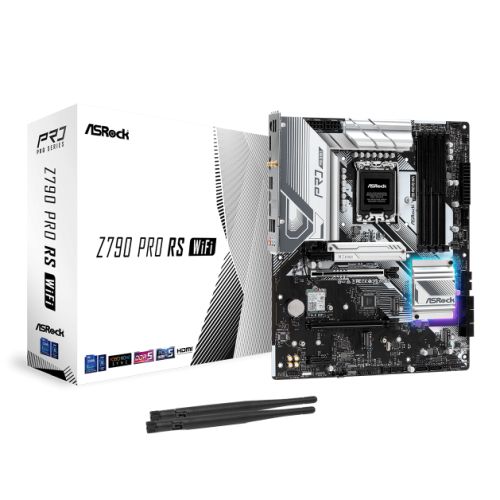 Asrock Z790 PRO RS WIFI, ATX MotherboardSelect options
This product has multiple variants. The options may be chosen on the product page
Asrock Z790 PRO RS WIFI, ATX MotherboardSelect options
This product has multiple variants. The options may be chosen on the product page
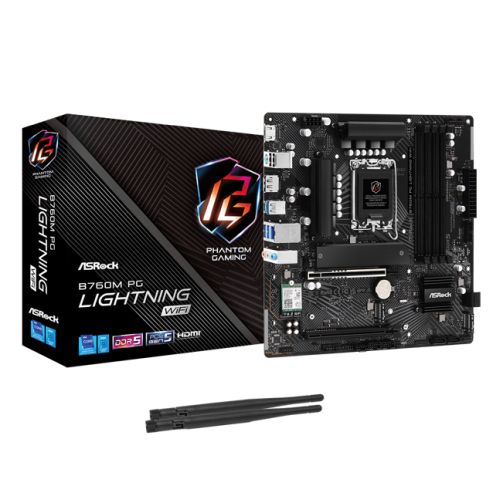 Asrock B760M PG LIGHTNING WIFI, Micro ATX MotherboardSelect options
This product has multiple variants. The options may be chosen on the product page
Asrock B760M PG LIGHTNING WIFI, Micro ATX MotherboardSelect options
This product has multiple variants. The options may be chosen on the product page
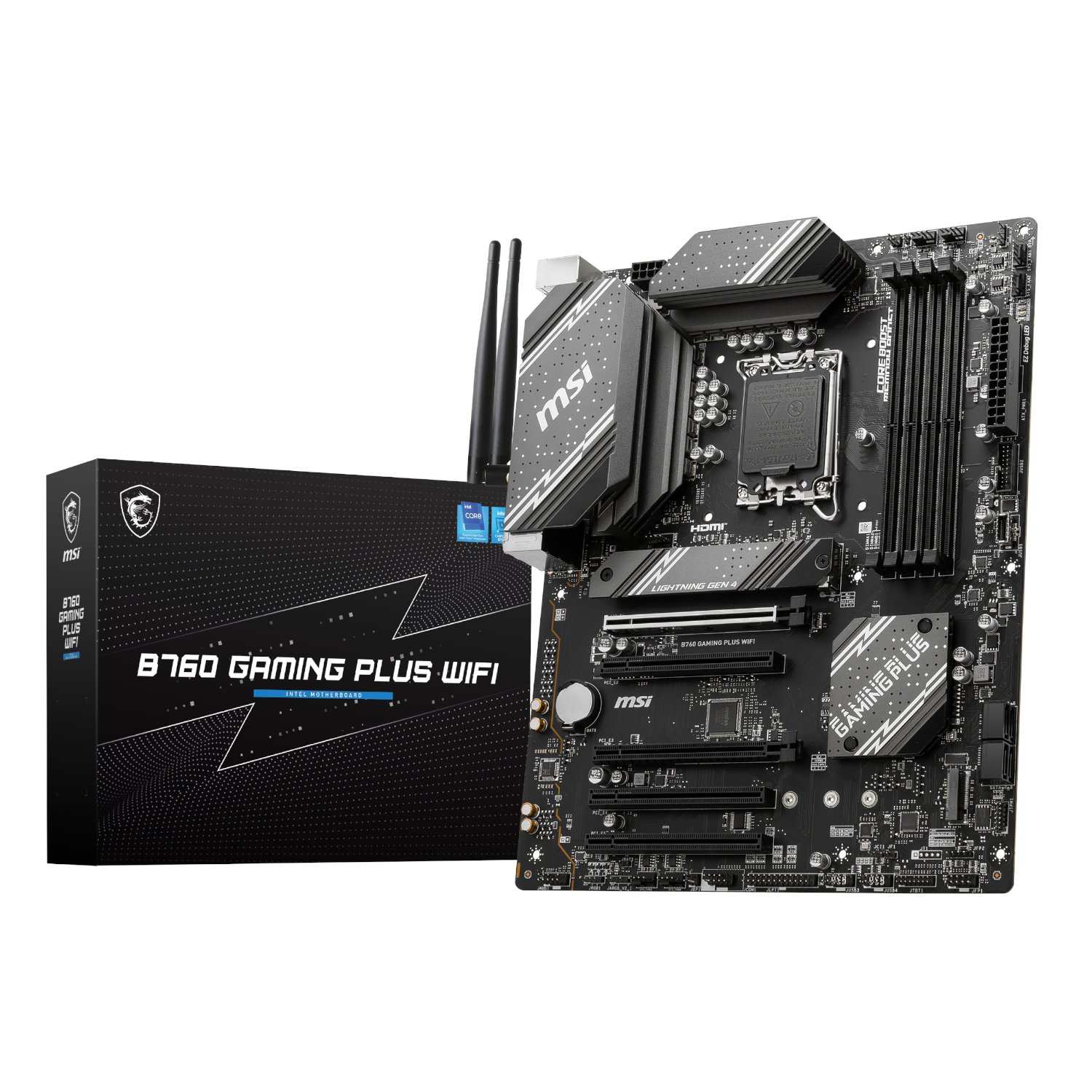 MSI B760 GAMING PLUS WIFI DDR5 LGA1700 ATX MotherboardSelect options
This product has multiple variants. The options may be chosen on the product page
MSI B760 GAMING PLUS WIFI DDR5 LGA1700 ATX MotherboardSelect options
This product has multiple variants. The options may be chosen on the product page
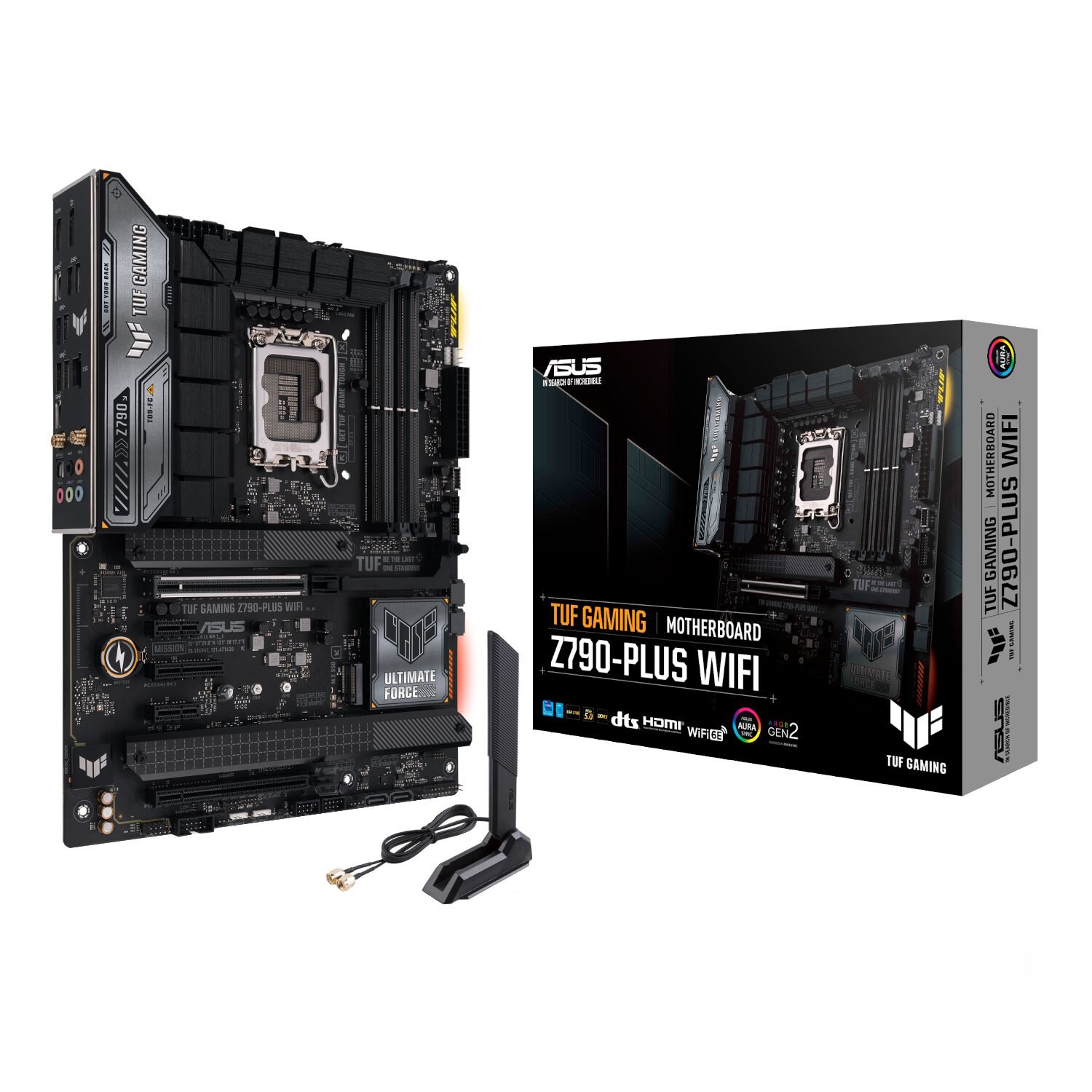 Asus TUF Gaming Z790-Plus Wi-Fi ATX Motherboard – Intel LGA1700, DDR5, PCIe 5.0. Wi-Fi 6ESelect options
This product has multiple variants. The options may be chosen on the product page
Asus TUF Gaming Z790-Plus Wi-Fi ATX Motherboard – Intel LGA1700, DDR5, PCIe 5.0. Wi-Fi 6ESelect options
This product has multiple variants. The options may be chosen on the product page
 Asrock B760M-PRO RS/D4, Micro ATX MotherboardSelect options
This product has multiple variants. The options may be chosen on the product page
Asrock B760M-PRO RS/D4, Micro ATX MotherboardSelect options
This product has multiple variants. The options may be chosen on the product page
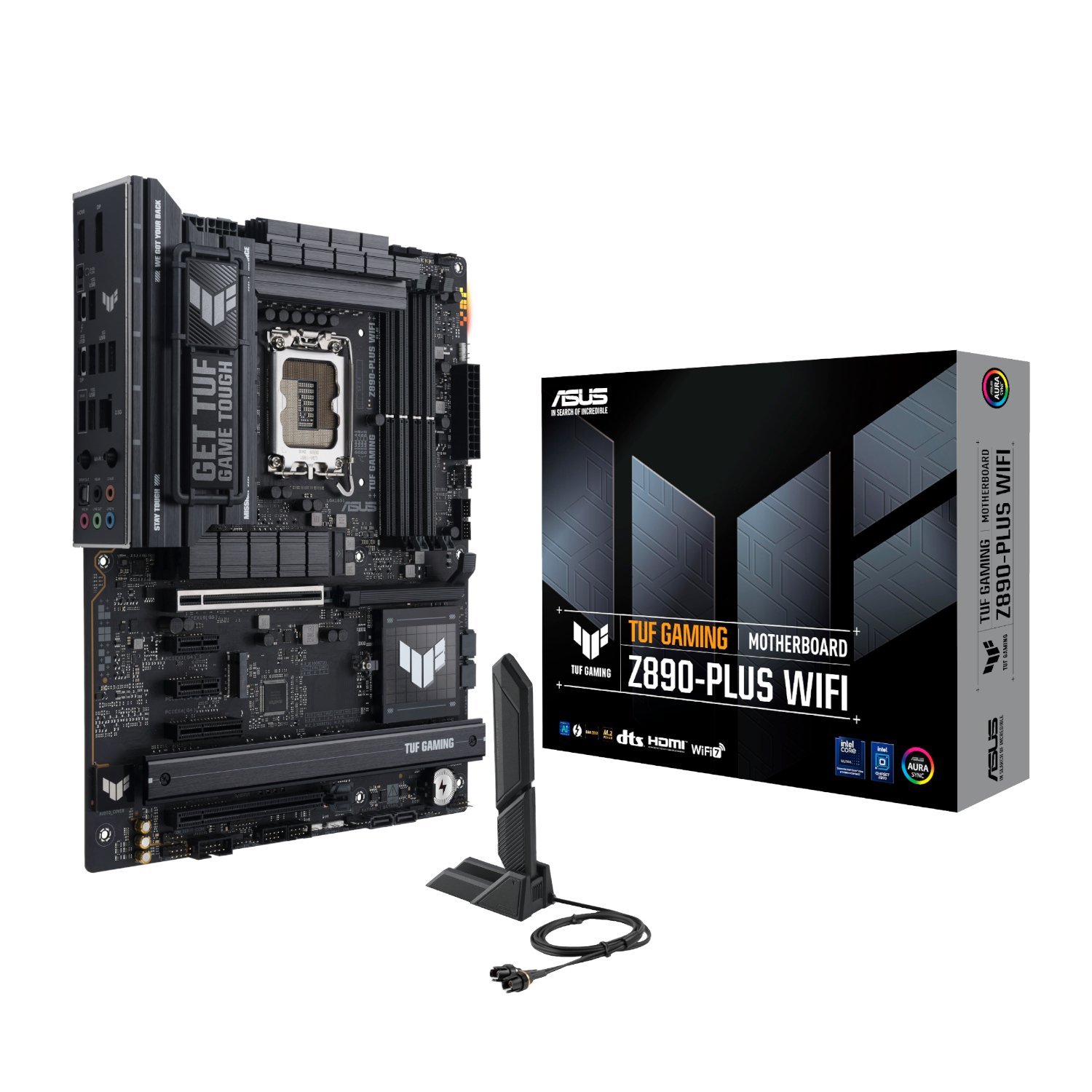 Asus TUF Gaming Z890-PLUS WIFI Intel LGA1851 ATX Gaming MotherboardSelect options
This product has multiple variants. The options may be chosen on the product page
Asus TUF Gaming Z890-PLUS WIFI Intel LGA1851 ATX Gaming MotherboardSelect options
This product has multiple variants. The options may be chosen on the product page
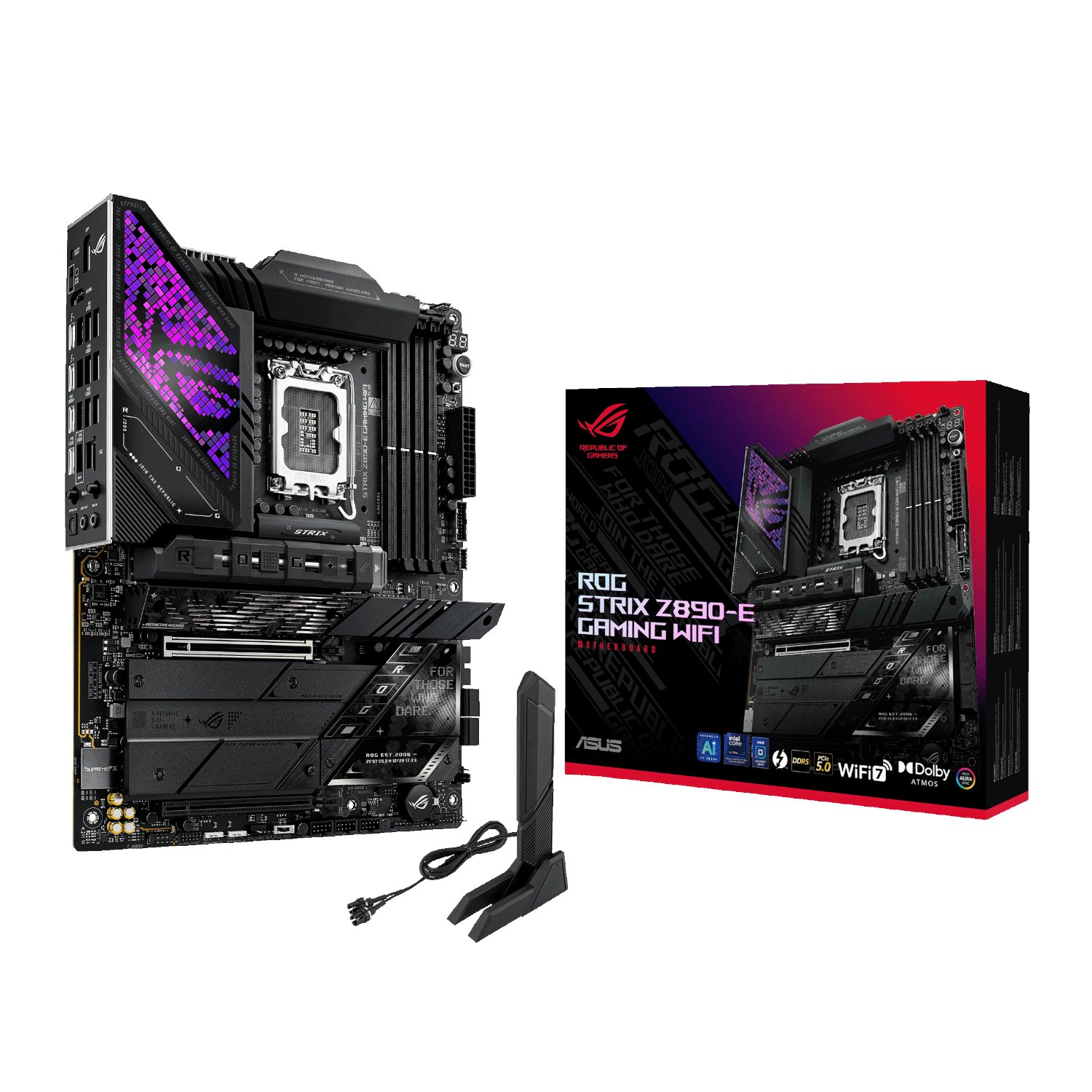 Asus ROG Strix Z890-E Gaming WIFI Intel LGA1851 ATX Gaming MotherboardSelect options
This product has multiple variants. The options may be chosen on the product page
Asus ROG Strix Z890-E Gaming WIFI Intel LGA1851 ATX Gaming MotherboardSelect options
This product has multiple variants. The options may be chosen on the product page
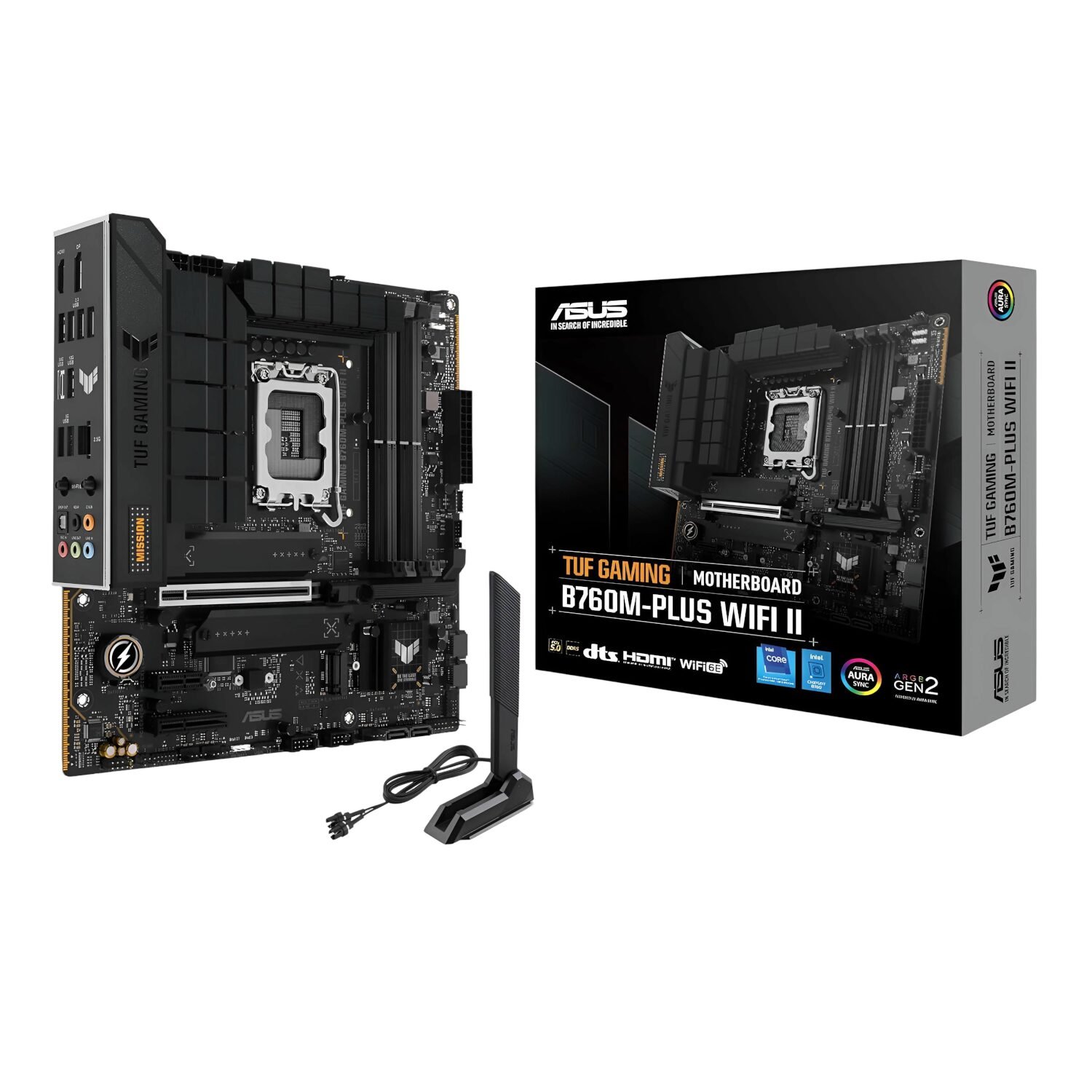 Asus TUF Gaming B760M-PLUS WIFI II – mATX MotherboardSelect options
This product has multiple variants. The options may be chosen on the product page
Asus TUF Gaming B760M-PLUS WIFI II – mATX MotherboardSelect options
This product has multiple variants. The options may be chosen on the product page
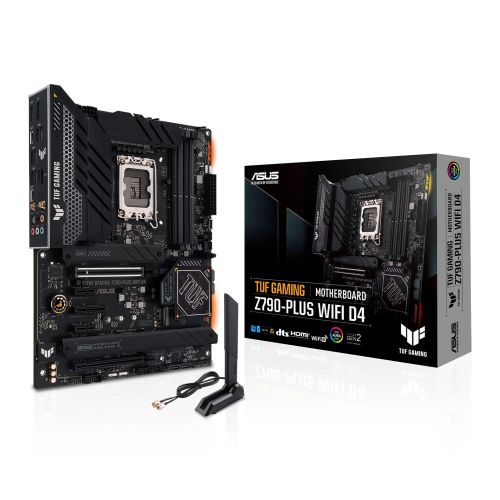 Asus TUF GAMING Z790-PLUS WIFI D4, ATX MotherboardSelect options
This product has multiple variants. The options may be chosen on the product page
Asus TUF GAMING Z790-PLUS WIFI D4, ATX MotherboardSelect options
This product has multiple variants. The options may be chosen on the product page